Make HeyGen videos from a Claude chat. Requires a paid Claude plan; a HeyGen Creator plan or above is recommended.
1

Add the connector

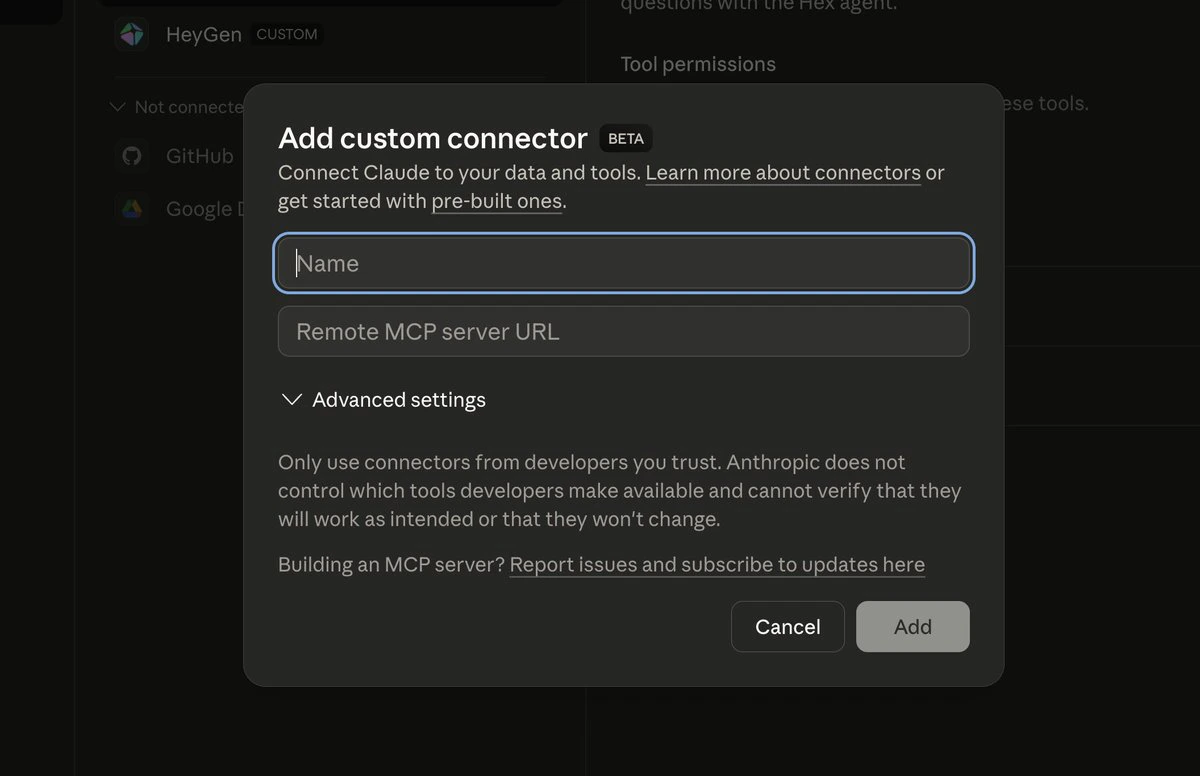
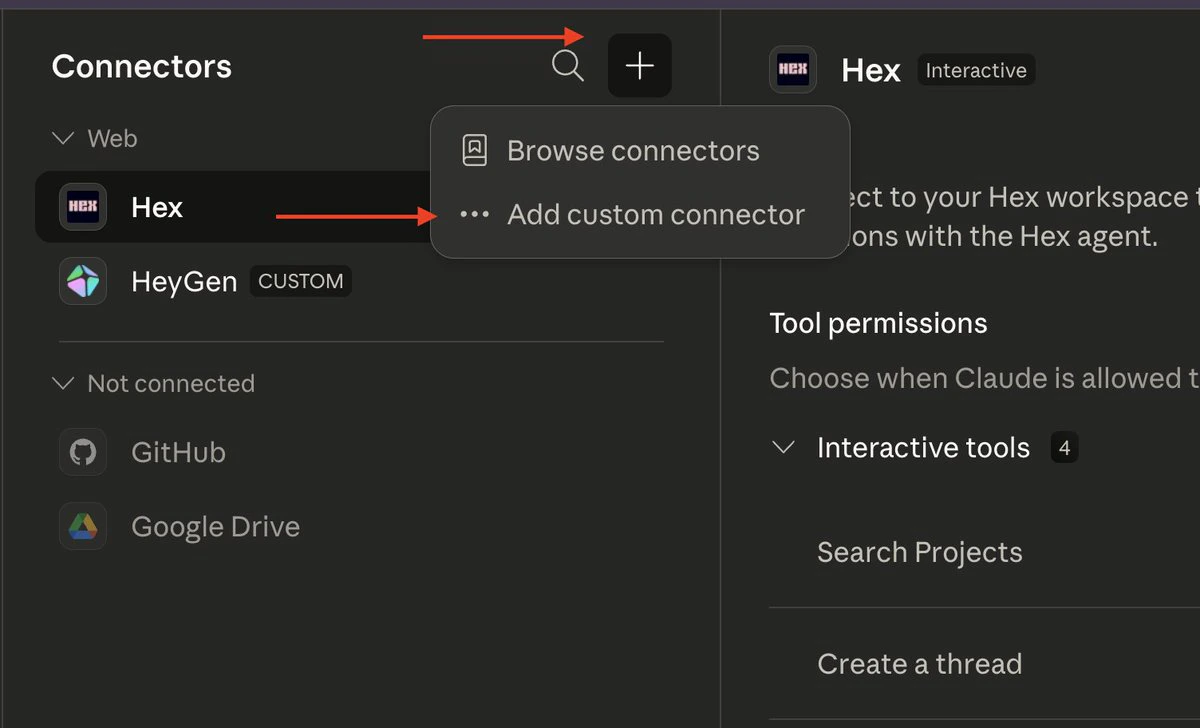
In Claude, go to + → Connectors → Manage connectors → + Add custom connector. Name it HeyGen and paste this URL:
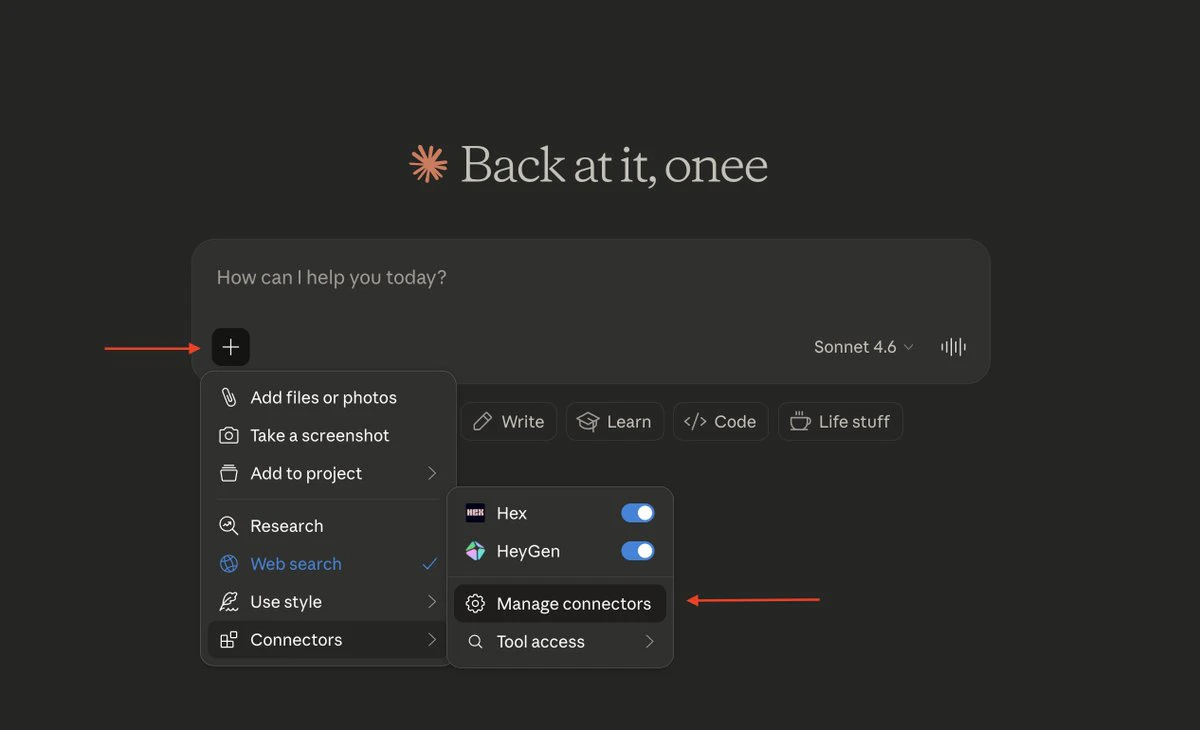
Connectors and Manage connectors in the Claude + menu
Add custom connector in the Connectors panel
Add custom connector dialog with Name and Remote MCP server URL fields
2

Connect your HeyGen account

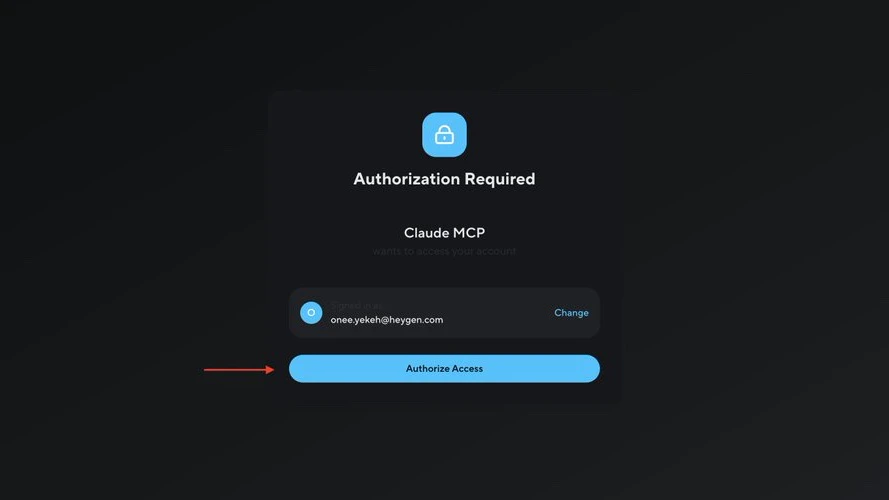
Click Connect and approve access on HeyGen.
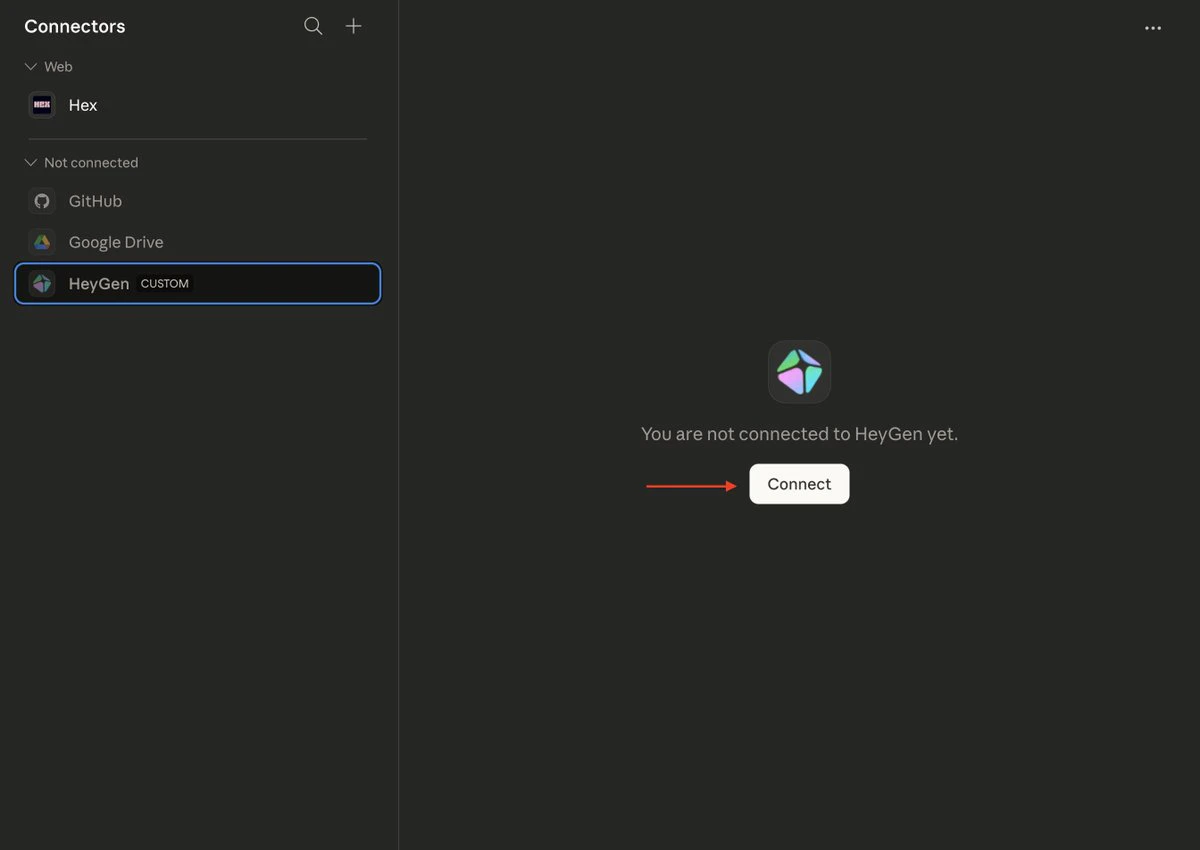
Connect button on the HeyGen connector
HeyGen authorization page
3

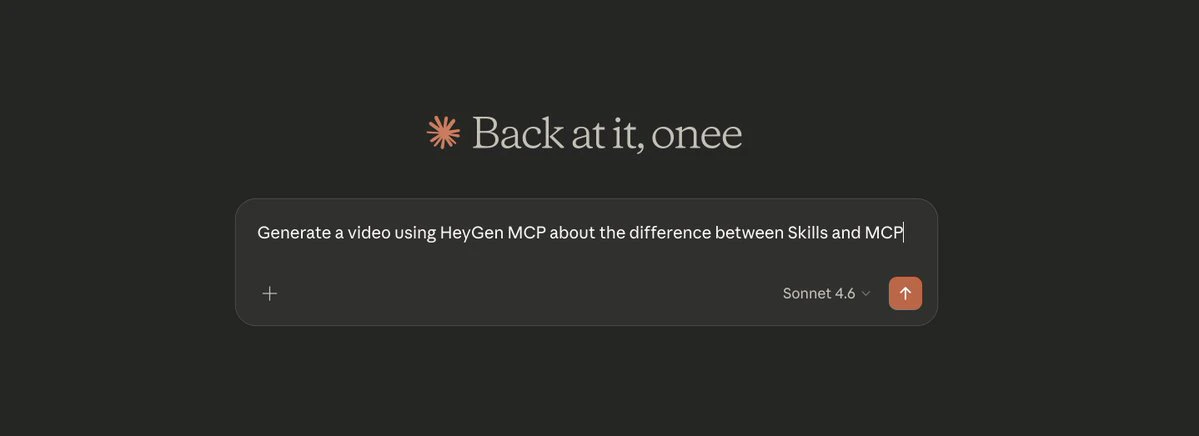
Ask for a video

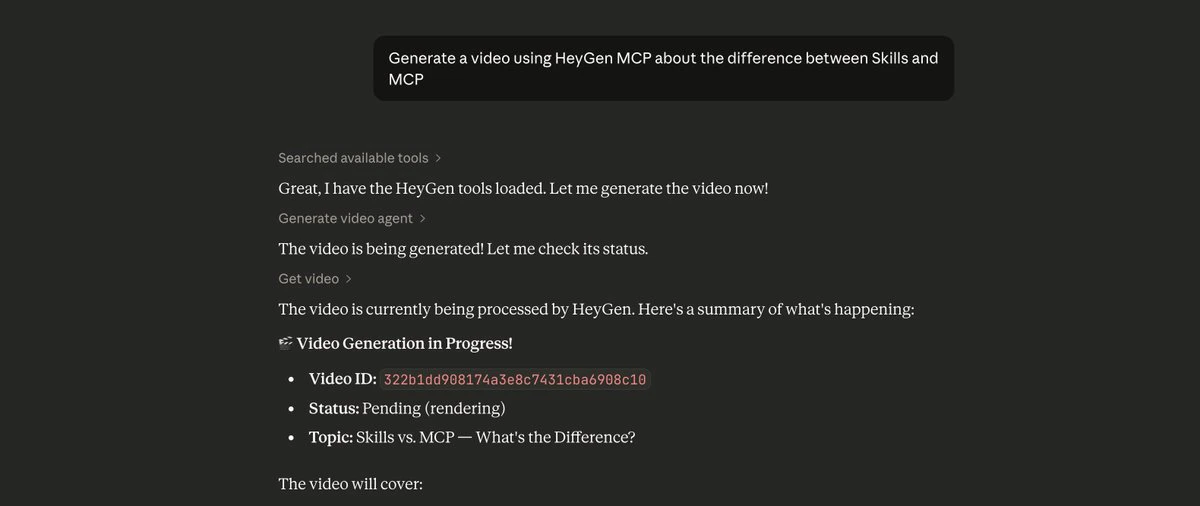
Claude picks the avatar, writes the script, and renders the video. Finished videos also appear in Projects in HeyGen.
HeyGen video prompt in Claude
HeyGen video rendering in Claude
Set the HeyGen connector to Always Allow to skip permission prompts.