> ## Documentation Index
> Fetch the complete documentation index at: https://heygen-1fa696a7.mintlify.site/llms.txt
> Use this file to discover all available pages before exploring further.
# Claude Web
> Connect HeyGen to Claude via MCP and generate AI avatar videos directly inside the Claude chat. Covers connector setup, available tools, and example prompts.
## Prerequisites
* An active Claude paid plan (required for custom connectors)
* A HeyGen account (Creator plan or above recommended for full video generation access)
## Setup
### 1. Register the Connector
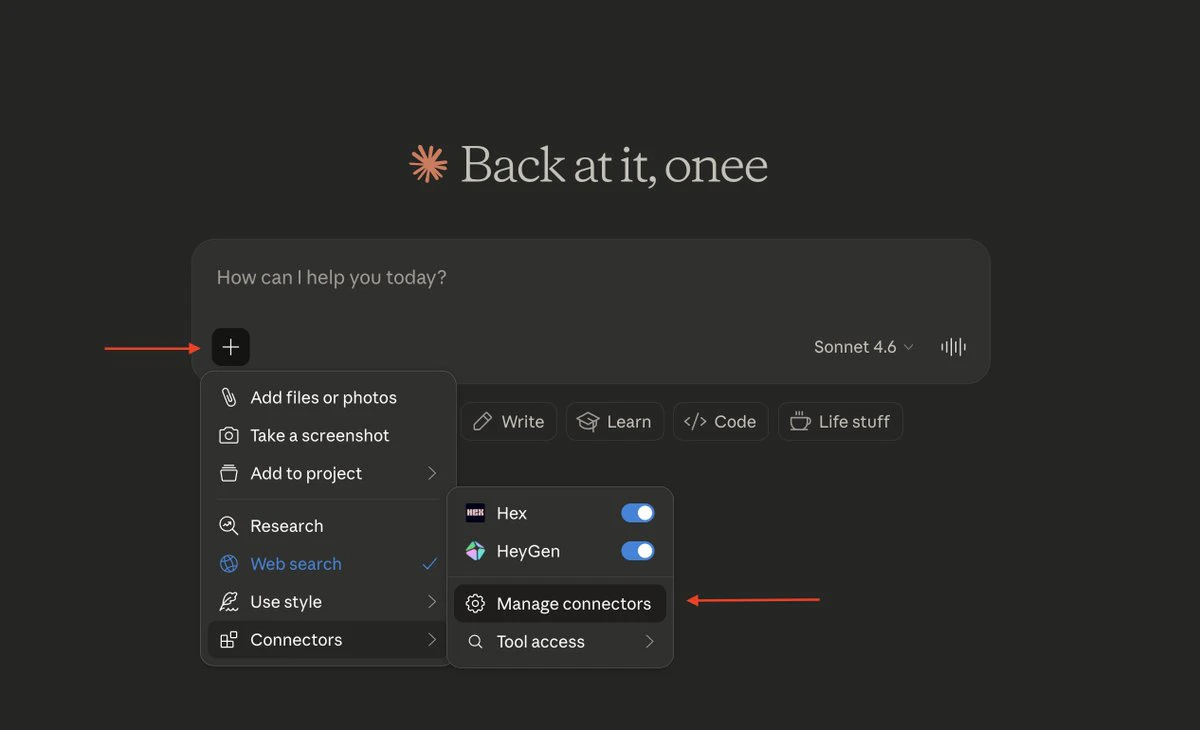
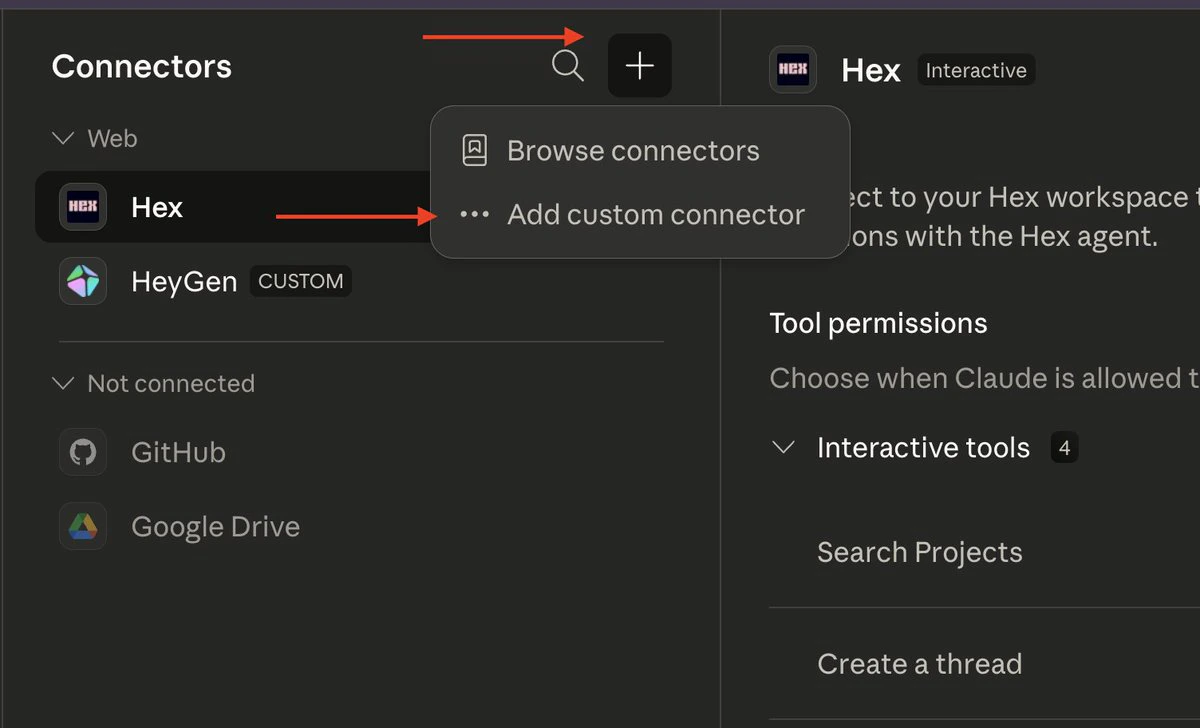
Navigate to **+** → **Connector** → **Manage Connector** → **+ Add custom connector**.
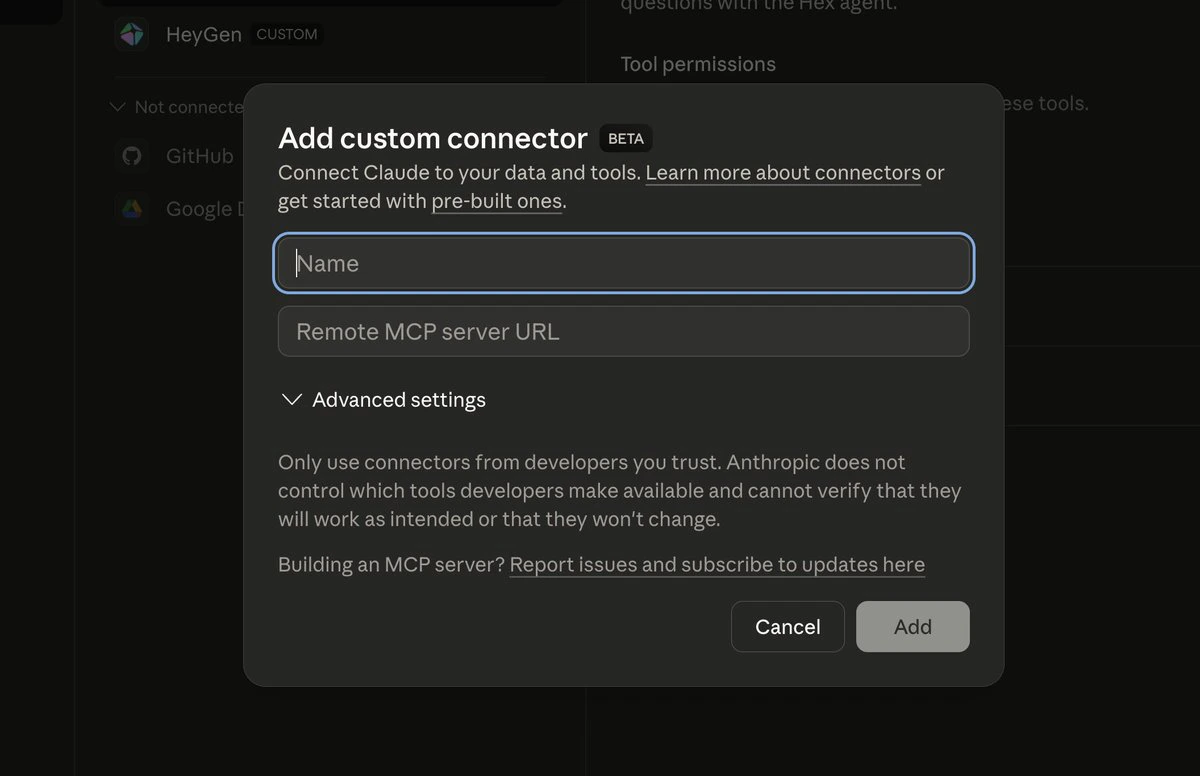
Set the connector name to `HeyGen` and provide the following remote MCP server URL:
```text theme={null}
https://mcp.heygen.com/mcp/v1/
```
 ### 2. Authenticate
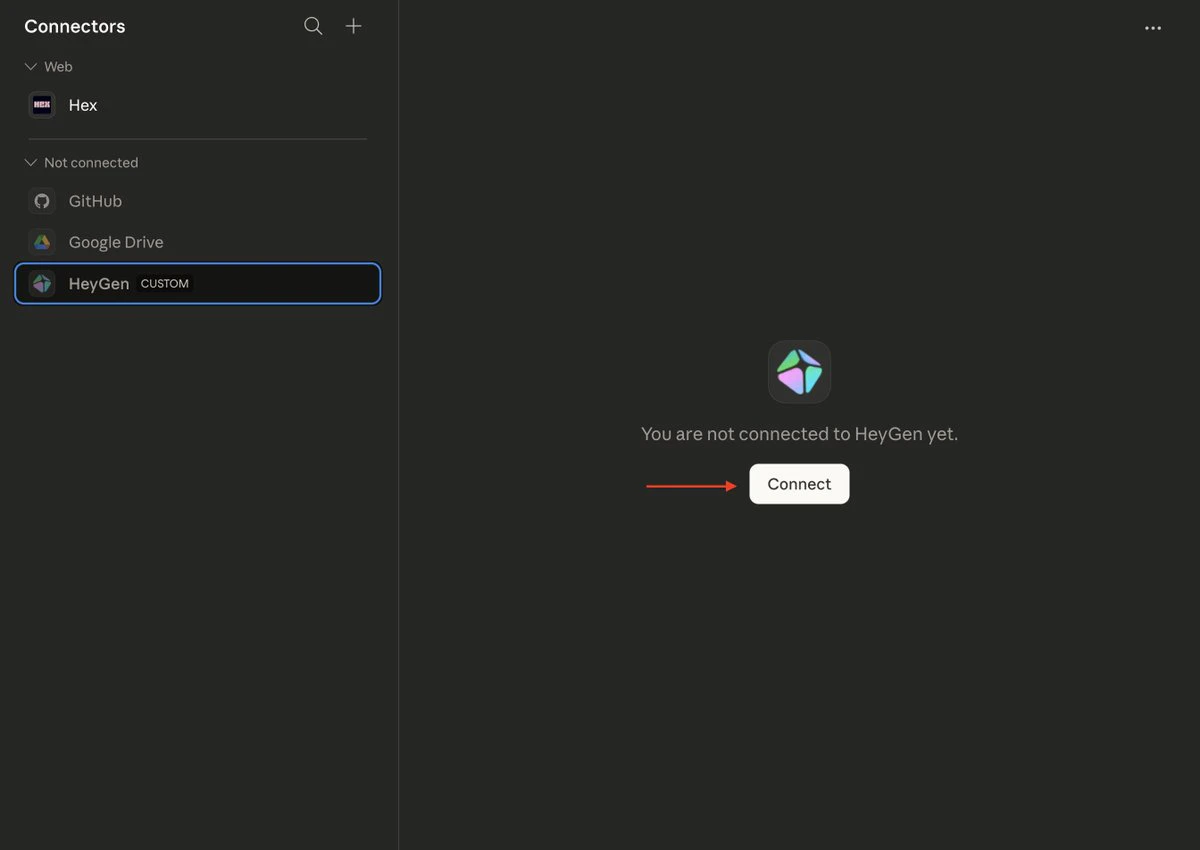
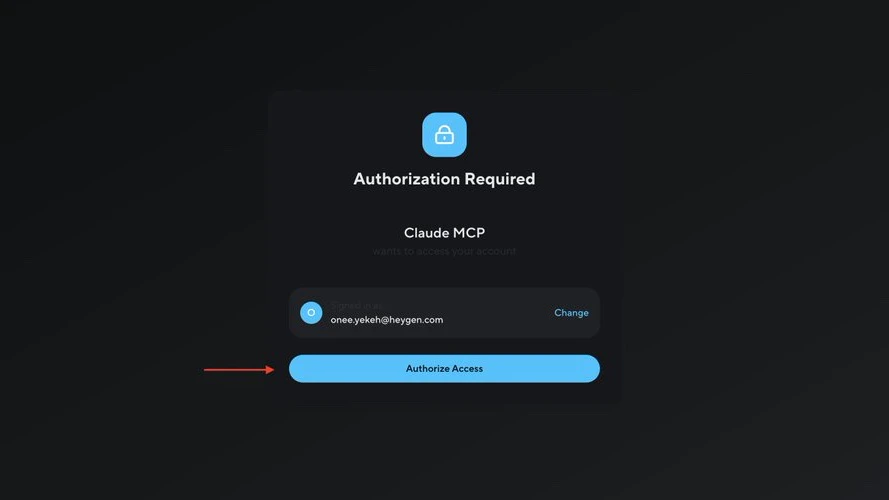
After saving the connector, click **Connect**. You will be redirected to HeyGen's authorization page. Approve the requested access to complete the OAuth flow.
### 2. Authenticate
After saving the connector, click **Connect**. You will be redirected to HeyGen's authorization page. Approve the requested access to complete the OAuth flow.
 ### 3. Configure Permissions (Optional)
To avoid repeated permission prompts, set the HeyGen connector permissions to **Always Allow**.
## Usage
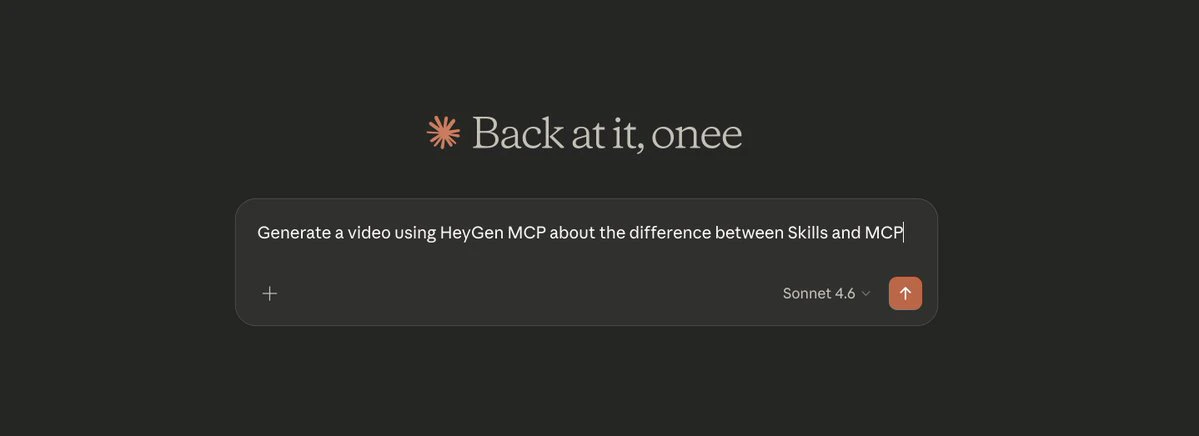
Open a new Claude chat and provide a video generation prompt. Example:
```text theme={null}
Generate a video using HeyGen MCP about the difference between Skills and MCP.
```
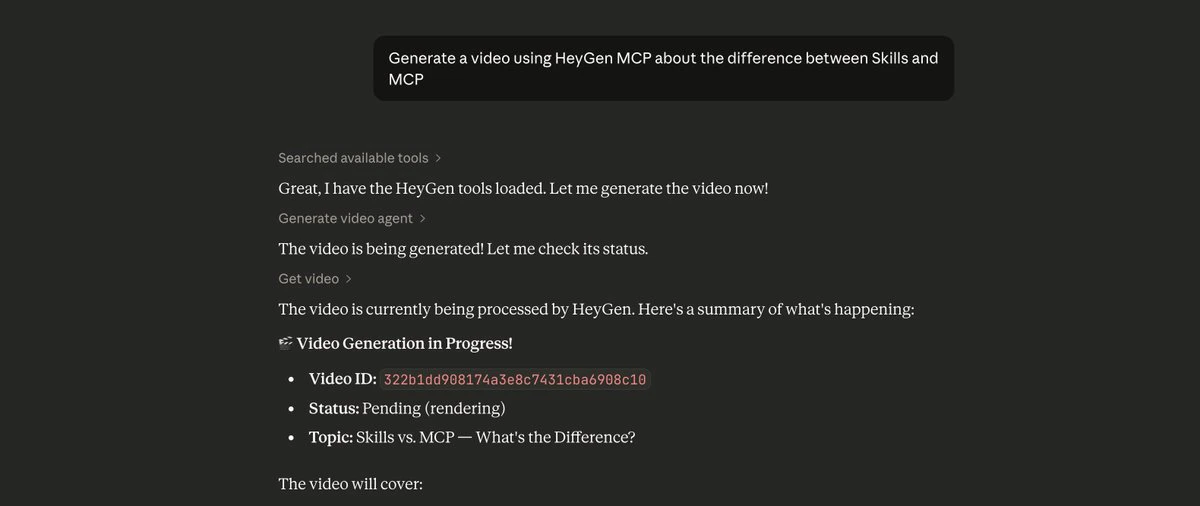
Claude will handle avatar selection, script generation, and video rendering via the HeyGen API. Completed videos are also accessible from the **Projects** page in your HeyGen dashboard.
### 3. Configure Permissions (Optional)
To avoid repeated permission prompts, set the HeyGen connector permissions to **Always Allow**.
## Usage
Open a new Claude chat and provide a video generation prompt. Example:
```text theme={null}
Generate a video using HeyGen MCP about the difference between Skills and MCP.
```
Claude will handle avatar selection, script generation, and video rendering via the HeyGen API. Completed videos are also accessible from the **Projects** page in your HeyGen dashboard.
 ## Limitations
| Constraint | Detail |
| ---------------- | ----------------------------------------------------------------------------- |
| HeyGen Free Tier | Limited video generation credits. Upgrade to Creator plan for production use. |
| Claude Free Tier | Custom connectors are not available. A paid Claude subscription is required. |
## Limitations
| Constraint | Detail |
| ---------------- | ----------------------------------------------------------------------------- |
| HeyGen Free Tier | Limited video generation credits. Upgrade to Creator plan for production use. |
| Claude Free Tier | Custom connectors are not available. A paid Claude subscription is required. |